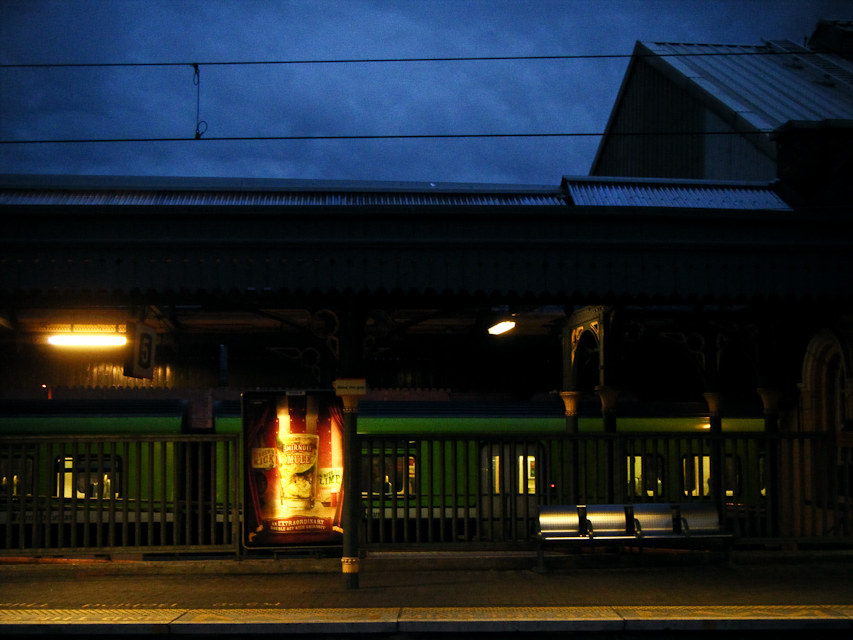
Here’s some really basic (and quite important) info that’ll help you take better pictures, trust me. It’s a long post, but worth your while reading it (at least I hope).
Ever wondered what the little +/- button (or menu entry) on your camera does? It when you access it your camera will usually display a scale like so: [ -2 … -1 … 0 … +1 … +2 EV ] and might mention something along the lines of exposure compensation or adjustment.
Well this functionality is quite an important one and worthwhile understanding. Let me start by (loosely) explaining how your camera determines how to set the exposure in the first place (that is, how much light it’ll have to capture so that the scene looks “correctly” exposed, not too dark, not too bright, but “just right”). Science has shown that your average, correctly exposed picture will have a certain average brightness of around some value x (on a certain scale). In other words, if you calculate the average brightness of each pixe in the image, you should get a value around that certain value x. Hence, to get a “normal” picture, your camera adjusts aperture, shutter speed and ISO so that the resulting image will have an average brightness of x. Got that? Right.
Here’s a problem: not every situation you will photograph will be “average”. Two extreme examples would be 1) a white bunny sitting in the snow — a picture where your average pixel will be much brigther than “normal” — or 2) an actor dressed in black on a theatre stage with a black backdrop — here the average pixel brightness will clearly be darker than normal. Well in both cases, your camera doesn’t know that it’s looking at “extreme” scenes and thus will try to do what it always does: expose such that the average pixel brightness will be x. The result: bunny and snow will be grey, instead of white — and the theatre background will be grey, instead of black.
The solution: In those extreme cases, you tell the camera that it’s confronted with an extreme situation, that is a scene that is either brighter or darker than average. And, you guess right … this is what the exposure compensation function is for: Negative values on that scale tell the camera the scene is darker, and positive values stand for brighter than average. Easy enough, right?
Here are some more situation where you might want to try using this adjustment: Evening scenes and sunsets (set negative values), bright days and summer beaches (try a positive value). The photo above was taken late-ish in the evening. Without any compensation the picture taken by the camera was way to bright, the sky was almost white and it looked like it was taken in the middle of the day. But with a -2 EV compensation the picture then reflected much more what the world looked like when I was there.